
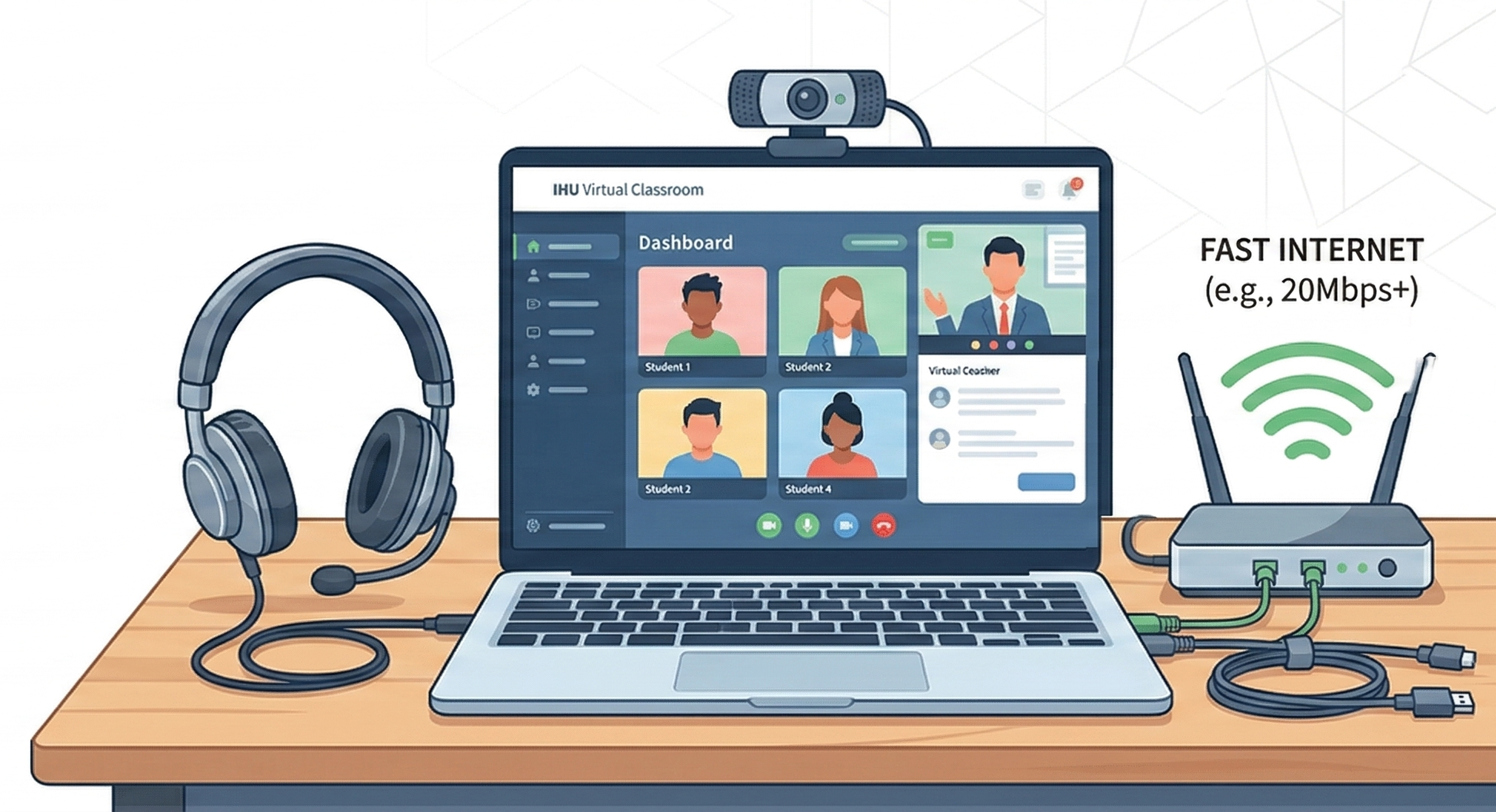
Set Up for Success Before Day One

IHU's virtual classroom is designed to be accessible on standard hardware and internet connections. However, having the right setup ensures you get the smoothest, most productive experience possible. This page covers everything — from hardware and software to internet speed and accessories — so you can confidently prepare for your first class.

IHU Technical Setup

Our Philosophy: Accessible by Design

We believe technology should enable learning, not become a barrier to it.

IHU's virtual campus was built with global accessibility in mind. We know our students connect from over 30 countries — from high-speed urban centers to rural areas with limited bandwidth. That's why our platform is engineered to adapt to a wide range of devices and connection speeds without sacrificing the quality of the learning experience.

Our platform runs entirely in a web browser — there is no proprietary software to install, no plugins to manage, and no special hardware to purchase. If you can browse the internet and join a video call, you can study at IHU. That said, meeting the recommended specifications below will ensure optimal performance, especially during live sessions, proctored exams, and multimedia-heavy coursework.

If your current setup doesn't meet all the recommended requirements, don't worry. Our technical support team can help you optimize your existing hardware and suggest affordable alternatives. We also offer a low-bandwidth mode for students with limited internet access.

Computer & Hardware Requirements

Below are the minimum and recommended hardware specifications for the best experience on IHU's virtual campus.

Component Minimum Recommended
Processor (CPU) Intel Core i3 / AMD Ryzen 3 (or equivalent) Intel Core i5 / AMD Ryzen 5 or higher
Memory (RAM) 4 GB 8 GB or more
Storage 10 GB free disk space SSD with 50+ GB free space
Display 1280 × 720 (HD) 1920 × 1080 (Full HD) or higher
Webcam 720p built-in or external 1080p external HD webcam
Microphone Built-in laptop microphone USB headset with noise-cancelling mic
Speakers / Audio Built-in laptop speakers Over-ear headphones or USB headset
Keyboard & Mouse Standard input devices External keyboard and mouse (for tablets)

Chromebooks & Budget Laptops

Chromebooks and budget laptops with at least 4 GB RAM and a modern browser can run the IHU platform effectively for asynchronous content, discussions, and assignments. For live sessions with video, we recommend at least an Intel Celeron N4020 or equivalent processor. Performance may vary during proctored exams — contact tech support for a compatibility assessment.

Software & Browser Requirements

IHU's platform is browser-based with no installations required. However, certain software tools are needed for coursework and assignments.

Web Browsers

Required

One of the following modern browsers is required to access the virtual campus:

Google Chrome Version 100+ (Recommended primary browser)
Best
Mozilla Firefox Version 100+ (Fully supported)
Supported
Apple Safari Version 15+ (macOS and iOS)
Supported
Microsoft Edge Version 100+ (Chromium-based)
Supported
Internet Explorer is not supported. Legacy browsers may cause display and functionality issues.

Operating Systems

Required

The IHU platform is compatible with the following operating systems:

Windows Windows 10 (min) / Windows 11 (recommended)
Supported
macOS Mojave 10.14+ (min) / Ventura 13+ (recommended)
Supported
Linux Ubuntu 20.04+, Fedora 35+, or equivalent
Supported
Chrome OS Version 100+ (Chromebooks)
Supported

Productivity Software

Recommended

You will need word processing and presentation tools for assignments and projects:

Microsoft 365 Word, Excel, PowerPoint (IHU provides free student license)
Free
Google Workspace Docs, Sheets, Slides (free with any Google account)
Free
PDF Reader Adobe Acrobat Reader or any modern PDF viewer
Free

Program-Specific Tools

Varies by Program

Some programs require additional tools. These will be specified in your course syllabus:

Python 3.x AI & Data Science programs — Anaconda distribution recommended
Free
Jupyter Notebooks Data analysis and machine learning coursework
Free
Google Analytics Digital Marketing programs — free Google account required
Free
SQL Database Tools Business Analytics — MySQL Workbench or similar
Free
All program-specific tools are either free or provided by IHU with a student license. You will never need to purchase software out of pocket.

Learning on Mobile & Tablet

IHU's platform is fully responsive and optimized for mobile learning. Here's what you need to know about studying on the go.

iOS (iPhone & iPad)

  • iOS 15 or later
  • Safari or Chrome browser
  • 3 GB free storage
  • Built-in camera & mic
  • Push notifications supported

Android (Phone & Tablet)

  • Android 11 or later
  • Chrome browser (latest)
  • 3 GB free storage
  • Built-in camera & mic
  • Push notifications supported

What You Can Do on Mobile

  • Watch recorded lectures
  • Participate in discussions
  • Check grades and progress
  • Submit text assignments
  • Receive notifications

Note: While mobile devices support most platform features, we recommend using a desktop or laptop for live sessions, proctored exams, and complex assignments that require extended typing or multi-window workflows.

Accessibility & Assistive Technology

IHU is committed to ensuring every student can fully participate in our virtual learning environment, regardless of physical abilities or assistive technology needs.

Full Keyboard Navigation

Every element of the virtual campus is accessible via keyboard. Students who cannot use a mouse can navigate menus, submit assignments, participate in discussions, and interact with all features using keyboard shortcuts.

Screen Reader Compatible

Our platform is fully compatible with popular screen readers including JAWS, NVDA, VoiceOver (macOS/iOS), and TalkBack (Android). All content includes proper ARIA labels and semantic HTML structure.

Closed Captions & Transcripts

All video lectures — both live and recorded — include closed captions. Full text transcripts are available for download, supporting students who are deaf or hard of hearing, as well as non-native English speakers.

High Contrast & Text Scaling

The platform supports high-contrast display modes and text scaling up to 200% without breaking the layout. Students with low vision can customize their viewing experience to meet their needs.

Extended Time Accommodations

Students with documented disabilities can receive extended time on timed assessments. Accommodation requests are handled confidentially through the Student Accessibility Office.

Audio Descriptions

Complex visual content — including diagrams, charts, and infographics — includes audio descriptions and alternative text to ensure equitable access to all learning materials.

Need Accommodations?

If you require specific assistive technology support or accessibility accommodations, contact our Student Accessibility Office at accessibility@ih.university before or during enrollment. We work individually with each student to ensure an inclusive and equitable learning experience.

Common Issues & Solutions

Encountering a technical issue? Check the solutions below before contacting support — most problems can be resolved in minutes.

Camera or Microphone Not Working

  1. Check that your browser has permission to access camera and microphone (Settings → Privacy → Camera/Microphone).
  2. Ensure no other application (Zoom, Skype, etc.) is currently using your camera.
  3. Try unplugging and reconnecting external webcams or headsets.
  4. Restart your browser and try again.
  5. If using Chrome, visit chrome://settings/content/camera to verify permissions.

Video Buffering or Poor Quality

  1. Test your internet speed at speedtest.net — you need at least 5 Mbps download.
  2. Close unnecessary browser tabs and applications consuming bandwidth.
  3. Switch to a wired Ethernet connection if possible.
  4. Move closer to your Wi-Fi router or use the 5 GHz band.
  5. Enable "Low Bandwidth Mode" in your IHU platform settings.

Cannot Log In to Student Portal

  1. Verify you are using the correct email address associated with your IHU account.
  2. Use the "Forgot Password" link to reset your credentials.
  3. Clear your browser cache and cookies, then try again.
  4. Try logging in with a different browser or incognito/private window.
  5. If using 2FA, ensure your authenticator app is synced to the correct time.

File Upload Failing

  1. Check that your file does not exceed the maximum upload size (typically 50 MB).
  2. Ensure the file format is accepted (.pdf, .docx, .pptx, .xlsx, .jpg, .png, .zip).
  3. Rename the file to remove special characters or spaces.
  4. Try compressing large files before uploading.
  5. If on a slow connection, wait for the upload progress bar to complete — do not navigate away.

No Audio During Live Session

  1. Check your device volume and ensure it is not muted.
  2. Verify the correct audio output device is selected in your browser/system settings.
  3. Check that the live session is not on mute — look for the speaker icon in the session toolbar.
  4. Try switching from speakers to headphones (or vice versa).
  5. Refresh the browser page and rejoin the session.

Your Pre-Semester Setup Checklist

Use this checklist to ensure you're 100% ready before your first class begins. Complete each item and you'll be prepared for a seamless start.

Verify Internet Speed

Run a speed test at speedtest.net and confirm at least 5 Mbps download (25+ recommended).

Update Your Browser

Ensure Chrome, Firefox, Safari, or Edge is updated to the latest version.

Test Webcam & Microphone

Use your browser's settings or an online tool to verify camera and mic are working.

Log In to Student Portal

Confirm you can access the IHU student portal with your credentials and set up 2FA.

Install Productivity Software

Set up Microsoft 365 (free student license) or Google Workspace for assignments.

Run System Compatibility Check

Use IHU's automated tool to verify your full setup meets all platform requirements.

Set Up Your Study Space

Find a quiet, well-lit area with minimal distractions for live sessions and focused study.

Attend Virtual Orientation

Join the new student orientation to learn platform navigation and meet your advisor.

Ready to Get Started?

You've got the tools. Now take the next step — apply to IHU and begin your journey.